BROKER GUIDE
Broker: how to create your account and take over your adverts on PlaneNest
BROKER GUIDE · PlaneNest
PlaneNest is the European marketplace where you can place your aircraft adverts. If your adverts already appear with a ‘Sold by’ label and your company name, you can claim your page and bring your catalogue onto PlaneNest for free once we have verified your request.
The images use Horizon Aviation Démo, a fictional company. They show the steps you will follow; your catalogue will display your own aircraft.
1. Create my account and claim my page
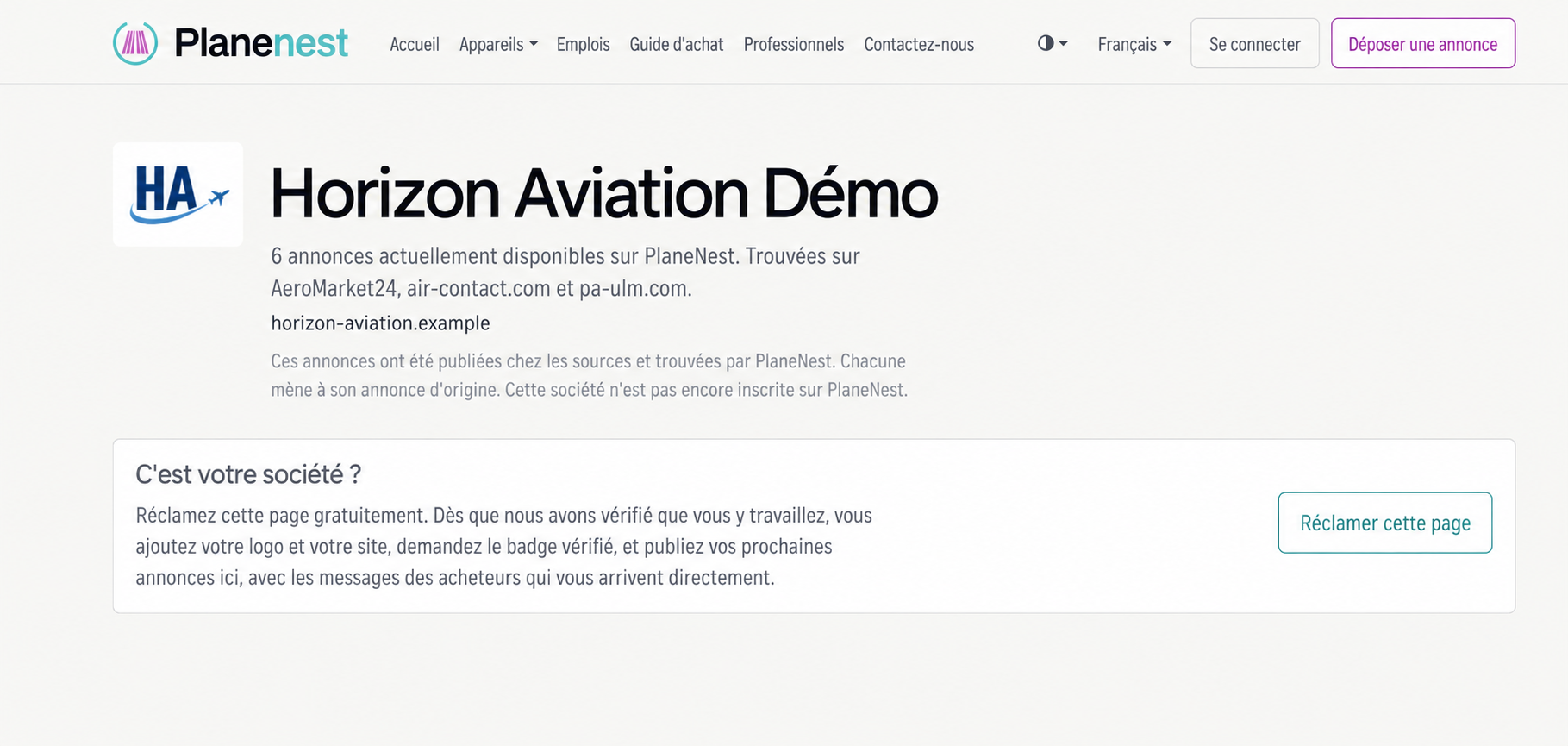
Open the link in our email, or find your page by clicking your company name next to ‘Sold by’ on one of your adverts. Check that it is your company, then click ‘Claim this page’.
If you already have an account, sign in. Otherwise, create one with the business email address you will use to manage the adverts. State your role at the company and submit the claim request.
We check that you represent the company. An email will confirm when we accept your request. You can then access the catalogue, and your company is verified. If we need more information, we will ask you for it.
You can create your professional account using the button below. If you received our email, its link to your company lets you claim the page already on PlaneNest directly.
2. Find and take over my catalogue
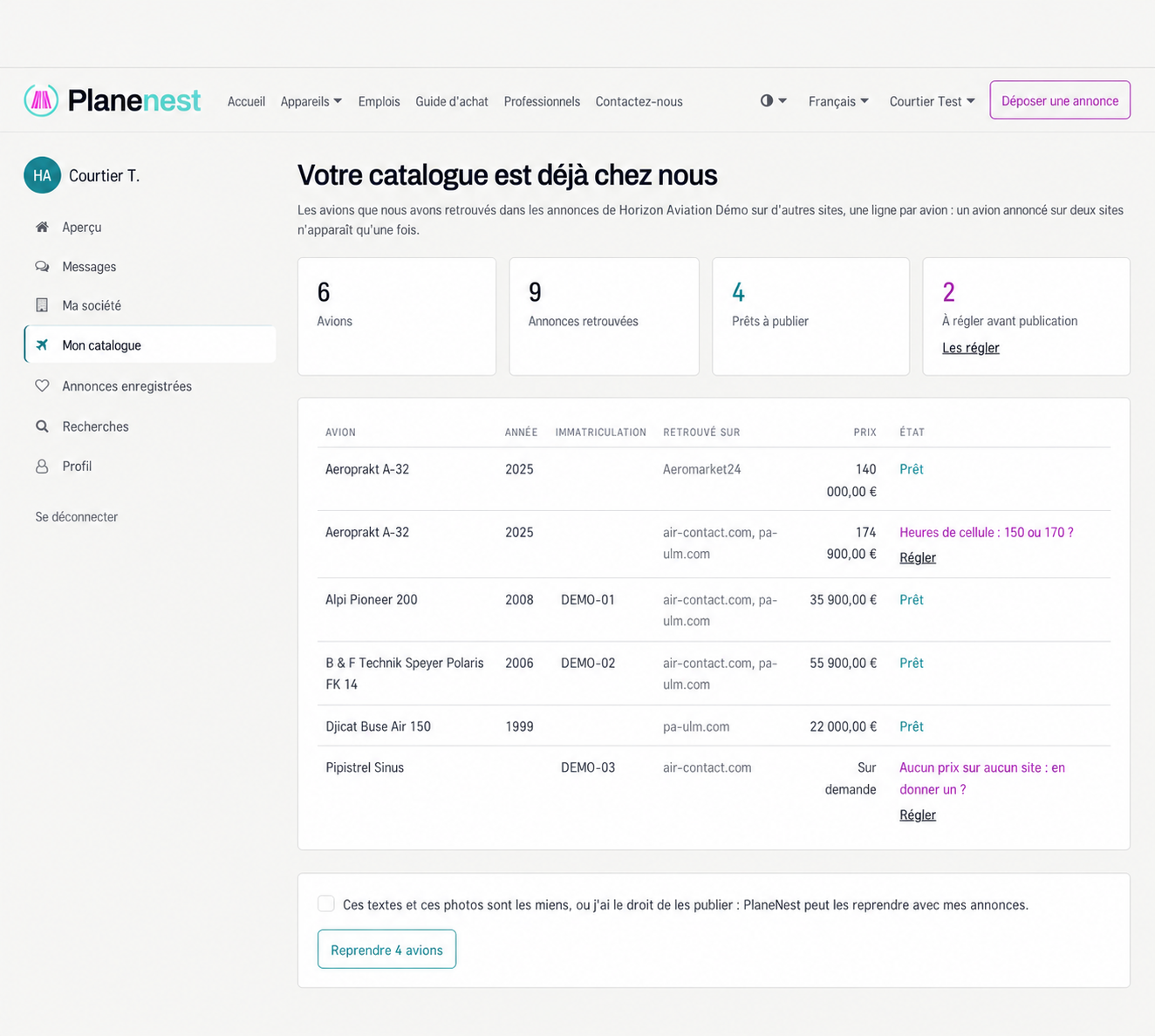
After approval, open ‘My catalogue’ in your account. It shows the aircraft associated with your company on the source websites. Several adverts for the same aircraft appear together on one row.
Review the aircraft and their details. You can take over several rows marked ‘Ready’ at once with the ‘Take over’ button. Rows marked ‘To settle before publishing’ need confirmation before publication.
Tick the box for texts and photos only if you own that content or have the right to publish it. Without this confirmation, they will not be copied. Then click ‘Take over’ and let the process finish; the catalogue will show the aircraft published on PlaneNest.
Sign in with the account you used to claim the page. Once approved, ‘My catalogue’ appears in your account menu. If your request is still pending, wait for our confirmation email.
3. Confirm the final details and follow my adverts
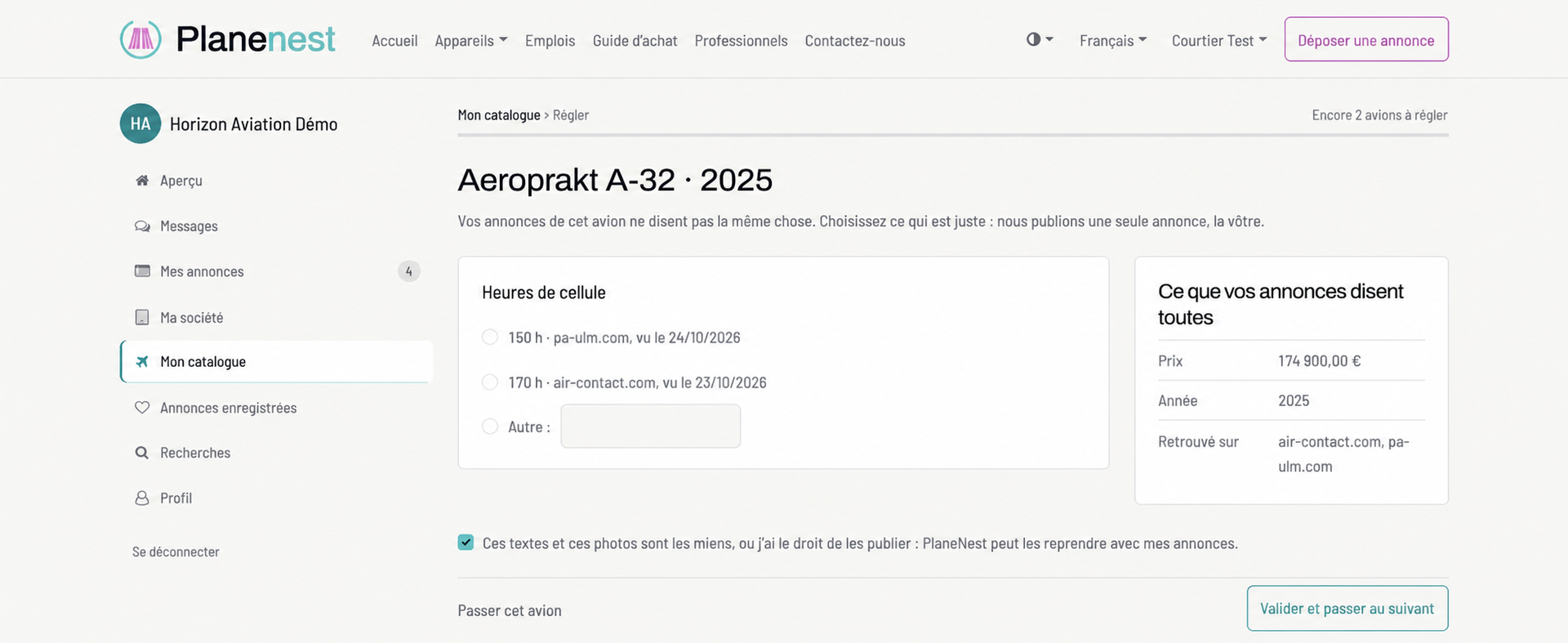
Click ‘Settle’ when a row needs confirmation. If the sources disagree, choose the correct value or enter it yourself. If the price is missing, enter it or choose ‘Price on request’.
Confirm and move to the next aircraft. Return to the catalogue to follow publication. Your adverts on other websites stay online; each aircraft you take over becomes an advert that you manage on PlaneNest.
Find your published adverts and their statistics under ‘My adverts’. Buyers' enquiries arrive in ‘Messages’, where you can read and reply to each conversation.
Once the transfer is complete, find your adverts and their statistics here.
Is your company or an aircraft missing? Is an advert wrongly attributed to you? Do not take it over: contact us with the link to the page concerned.
Did you receive our email? You can also reply to it directly: we will help you get started.